The How-To Geek
Ditched multiple Excel worksheets for one dynamic report and saved myself a ton of work
xCruzo Brief
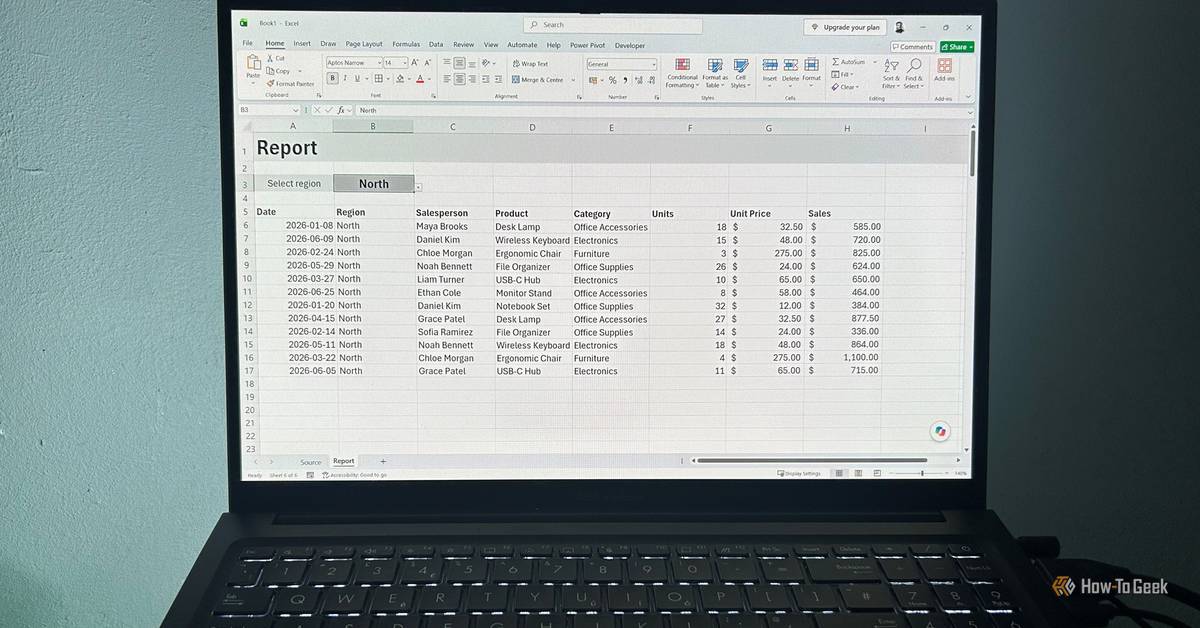
The article explains how to replace multiple similar Excel worksheets with one dynamic report, cutting repetitive maintenance. Rather than duplicating a report for each region (North, East, South, West) and updating formatting or added columns across all copies, the writer uses a single FILTER-driven layout controlled by a dropdown selection. The approach relies on structuring source data as an Excel table (using Ctrl+T) with a Region column, enabling structured references such as tblSales[Region]. For the selector, it adds data validation to a cell (example: B3) using either direct column ranges or a named range via Name Manager; if needed, UNIQUE generates a list of distinct regions. The goal is one report to manage instead of several.
xCruzo quick-read summary • Source: The How-To Geek • Read the full article for complete information.
 xCruzo

Midterm Election Updates: GOP Acknowledges High Prices, Warns Democrats Would Be Worse

Las fotos y películas que rescatan el Lanzarote de los años 60, 70 y 80

Conxemar inicia su XVII feria con récord de expositores y reclama "un respaldo acorde a su dimensión"

Sus 70 años, murió reconocido ciclista a nivel mundial: era considerado el mayor rival de los colombianos | Noticias RCN

State charges 10 for poaching fish, shrimp, turtles

Historic 17-acre Bay Area waterfront property with restaurants, post office, and boatworks hits the market

Cae Iván Cazarín, "El Tanque", lugarteniente del CJNG; ligado al derribo de un helicóptero en 2015

Michigan racing to buy 485 acres on Lake Superior before private buyers snap it up