
Your decision comes first.
Research a VIN wherever you find the car. You choose the vehicle and the seller; xCruzo helps you understand what you are considering.
For you. For your family. For every next mile.
Buy with more confidence. Keep your household’s cars, estimated values and mileage records together. Choose the report depth you need—and stay curious with free 30-second news.
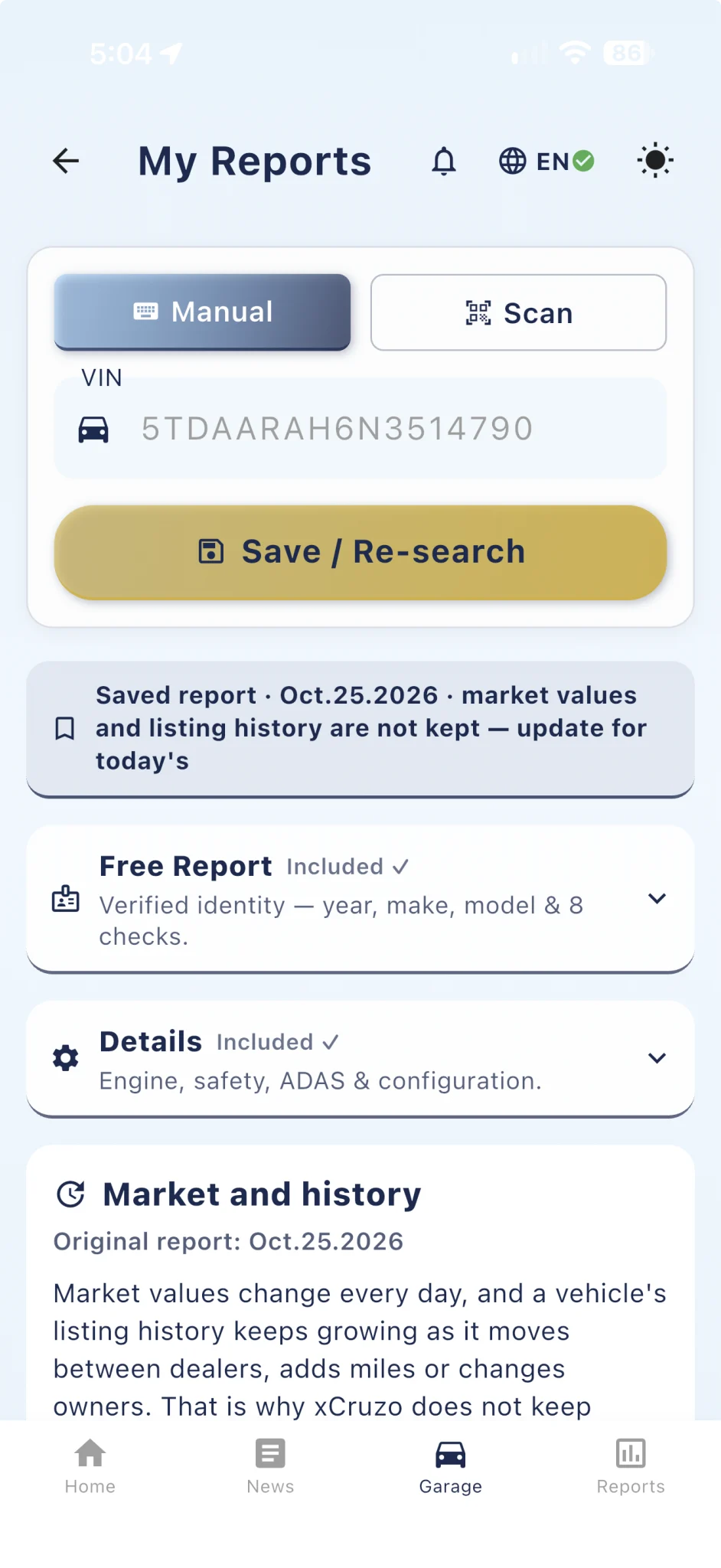
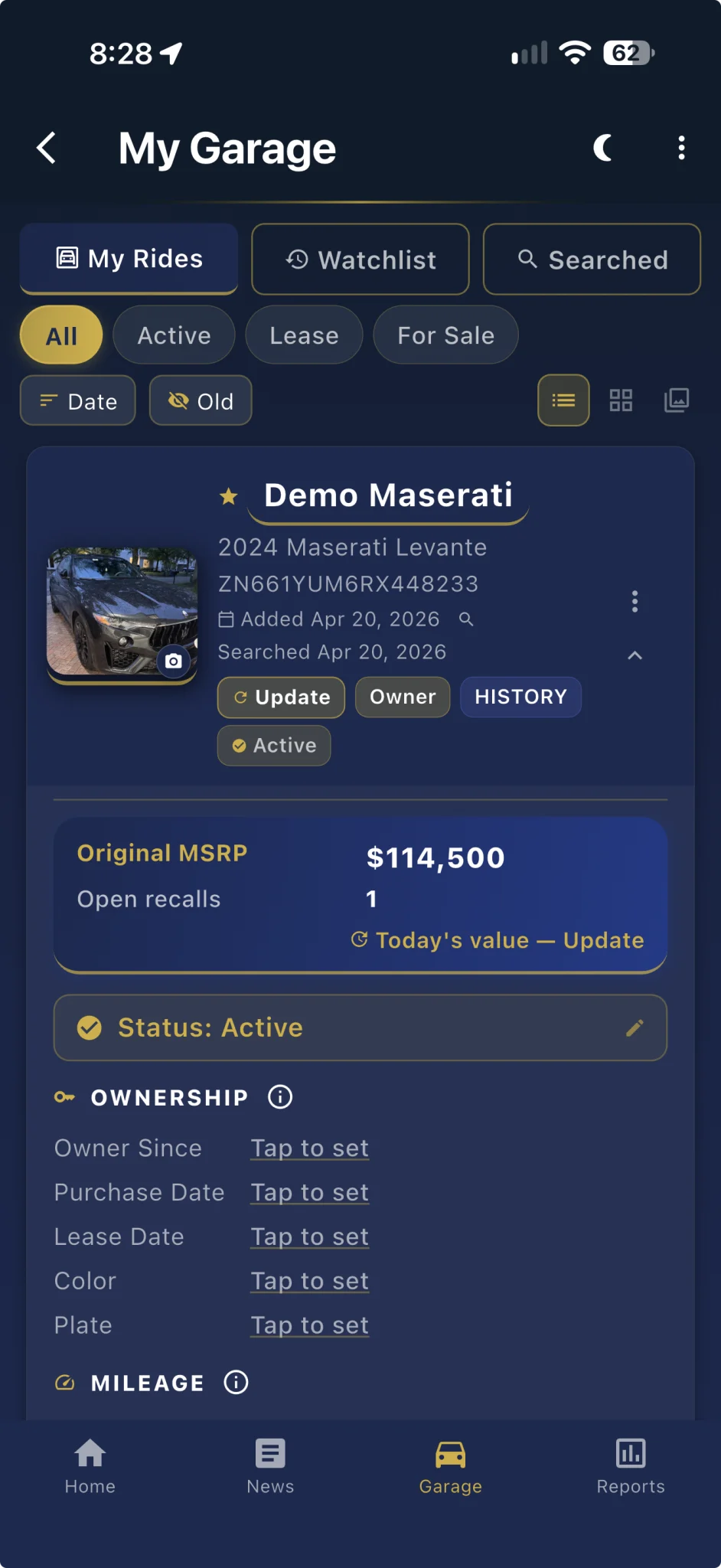
Actual app screens · example vehicles and values
The xCruzo advantage
Research a VIN wherever you find the car. You choose the vehicle and the seller; xCruzo helps you understand what you are considering.
Free identity, clear report levels and one-time personal packs. Choose a question, see the price and decide how far to go.
Bring your vehicle records into a Garage you can return to—for your next purchase and the family cars you already manage.
01 / Before you buy
Turn vehicle records into useful questions. Start with free VIN identity, then explore specifications, estimated value and listing history at the right report level.

The exterior is only the beginning.
VIN identity, engine, configuration, safety equipment and available recall information.
Free identity + DetailsReview estimated market value, pricing confidence and risk signals before committing.
MarketExplore observed sellers, advertised-price changes, odometer records and a movement map.
HistoryAvailable records vary by VIN and report level. Listing activity is not proof of ownership, a completed sale or a clean title.
Try a free VIN check ↗02 / Follow the listing trail
The History report shows a vehicle’s observed sellers, cities, advertised prices and odometer records, with a map of earlier and latest listing locations. Market values and listing history are shown live when you run or update the report.
See where a vehicle appeared in available seller and auction listings. The overview brings locations in different states into context.
Market values and listing history are shown when you run or update the report. Saved reports keep dated facts such as the original MSRP, open recalls and warranty; choose Update for today’s trail.
Use the map together with observed dates, advertised prices and odometer records when asking a seller about the vehicle’s history.
The map shows estimated locations from available listing records. It is not GPS tracking, a driving route, proof of ownership transfers or confirmation of a completed sale. Coverage varies by VIN.
Explore the History report ↗03 / The right detail. The right spend.
Start free. Choose the depth that helps you decide. Individual reports and personal credit packs keep the cost matched to your needs.
Details
$4.99Understand available engine, equipment, safety and recall information.
Market
$14.99See estimated value, pricing confidence and available risk signals.
History
$19.99Explore observed sellers, locations, advertised prices and odometer records.
Prices in USD. Confirm current pricing before purchase. Available information varies by VIN and report level; a report supports, rather than replaces, a professional inspection.
Choose your report ↗04 / Your family Garage
The daily commuter. A first car. The weekend ride. Bring the vehicles you manage for your household into your Garage and give each one a clear, useful record.
Enter your own value from any source, or keep the facts from your saved report, such as the original MSRP and open recalls, beside each vehicle. Choose Update when you want today’s market value.
Record mileage by vehicle and date. Follow how the cars your family uses accumulate miles, and review lease pace where available.
Add a familiar nickname, photos and notes. Keep purchase, finance or lease details with the right vehicle, ready for your next decision.
Family Garage means household vehicles you manage in your account. Values are dated estimates; mileage and notes are entered by you. It does not connect relatives’ accounts or automatically track individual drivers.
Explore xCruzo ↗05 / Follow up on a saved VIN
Save your shortlist. Follow the vehicles your family uses. Return to the same VIN and choose an update when your next decision calls for fresh information.
Return to vehicles you have saved instead of starting your research again. Keep your notes and the available vehicle record together.
Record mileage with dates and review your usage history or available lease-pace projections. These figures come from your recorded inputs.
The Garage’s Update control opens VIN Search with that vehicle already filled in, and the vehicle menu reopens or reprints the saved report. You decide when to search and confirm any paid update.
Check which VIN and report date you are viewing. Reopening a saved report does not refresh its data.
Request a fresh search for that VIN. New results depend on available records and your report level; new information is not guaranteed.
The account flow shows eligibility and the current price. No search or charge starts just because you opened the Update screen.
Eligible paid reports can be updated at the owned tier within the 365-day update window. After that window, a new report is required. Waiting about 30 days is recommended, not a minimum waiting period. Follow-up here means returning to your records and choosing an update; it does not promise automatic monitoring or alerts.
Actual app and web captures · example vehicles, values and dates. Screenshot text keeps its original language and appearance.
06 / Personal credit packs
Research the next family car, compare a shortlist or revisit a vehicle question. One credit buys one report at any tier, used from your own account.
Personal packs are one-time purchases. Credits remain available while your account is active, so your next vehicle question does not need to happen today.
Reports are also sold individually. Compare the single-report price before deciding whether to use a credit.
$19.99
One-time pack · USD
≈ $19.99 per credit
$29.99
One-time pack · USD
≈ $10.00 per credit
$44.99
One-time pack · USD
≈ $9.00 per credit
$79.99
One-time pack · USD
≈ $8.00 per credit
Prices shown in USD; per-credit amounts are rounded. Confirm current pricing in your account before purchase. Credits do not expire while your account is active; they are non-transferable and have no cash value. Credit sales are final and non-refundable, subject to the applicable purchase terms.
Sign-in may be required. Select Personal in the credits screen.
07 / Free news. A fresh reason to return.
Make a little time for what interests you. Read quick AI summaries in English or Spanish, free on the web and in the app.
Show the categories you enjoy, hide the rest and sort them into your preferred order.
Scan a quick summary. Open the story for more context, or use Read Article to visit the original publisher.
Explore a category and tap Load More for additional stories. Sign in for the features available to your account, or get the app and take your interests along.
Additional article loads and advanced features depend on account access. Full articles open at their original publisher, where separate access terms may apply.
Your family’s next chapter starts here.
Check the car. See the value. Keep your family’s records together. Start free on the web, or bring xCruzo along in the app.